Starter, Pro and Premium plans
What each plan includes, monthly and annual prices, the 30-appointment limit on Starter, and employee seats.

Appointa has three plans: the free Starter, Pro and Premium. The plans differ in the number of appointments, the number of included employees and the advanced features. This page compares everything a plan determines; how to buy, change or cancel a plan is explained on the Subscription and payment page.
Plan overview
| Starter | Pro | Premium | |
|---|---|---|---|
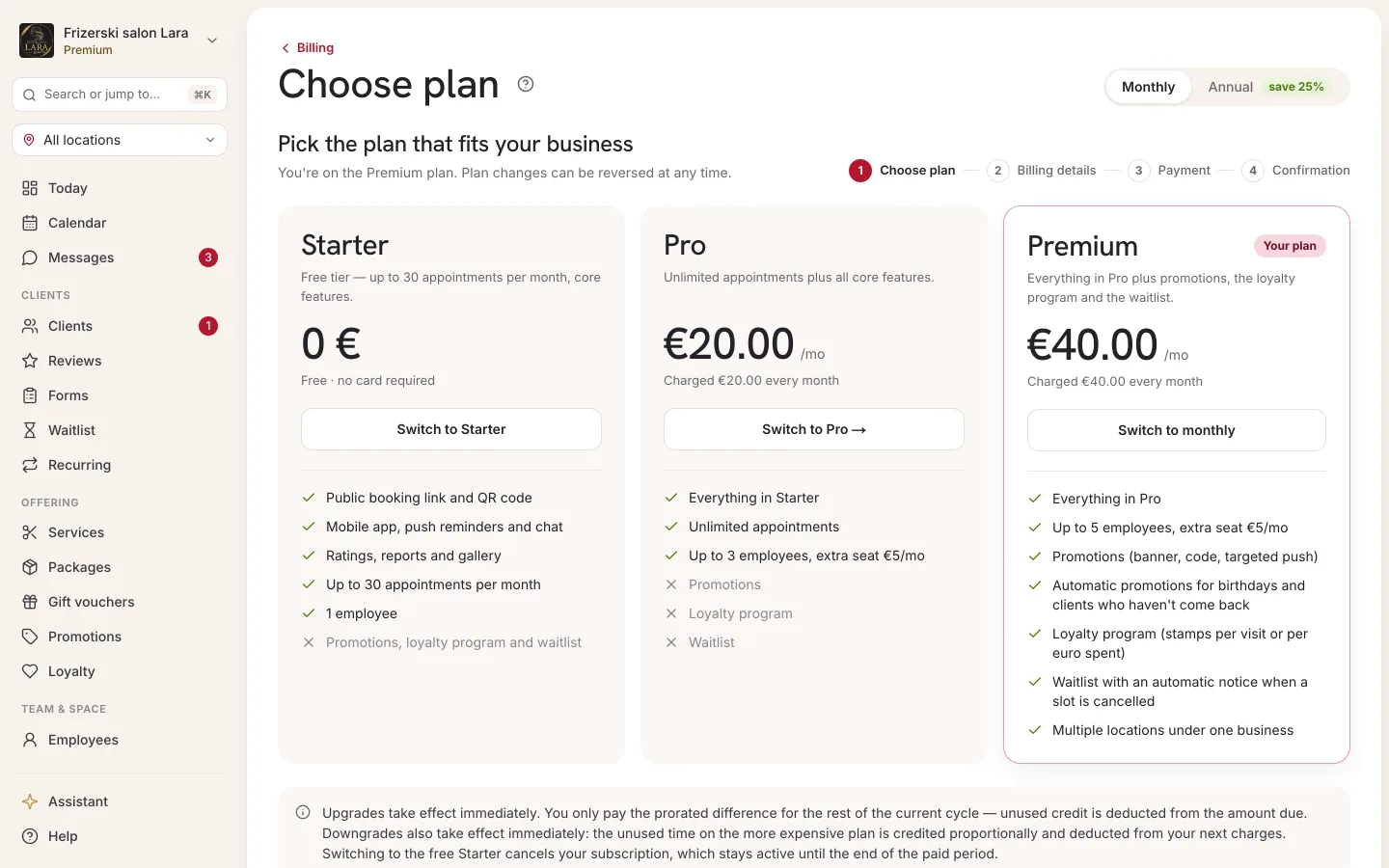
| Monthly billing | €0 — free, no card | €20 / month | €40 / month |
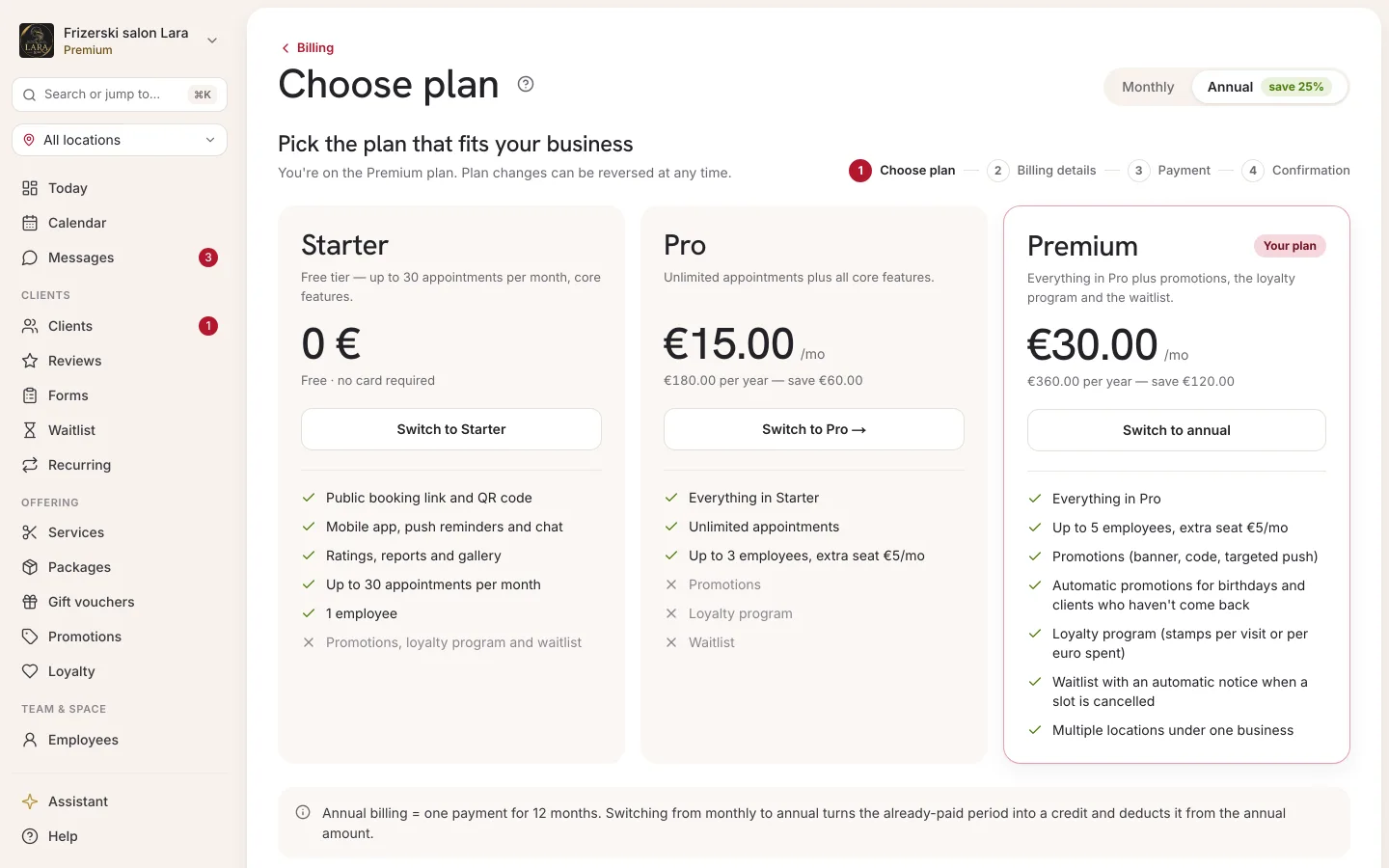
| Annual billing | — | €180 / year (€15 a month) | €360 / year (€30 a month) |
| Appointments | up to 30 a month | unlimited | unlimited |
| Included employees | 1 | 3 | 5 |
| Extra employee seat | not available | €5 per seat per month | €5 per seat per month |
- VAT is not charged.
- Appointa charges no commission per booking — you pay only for the plan and, if you want them, add-ons (extra seats, SMS credits).
- You can always see the current prices in the app, on the Choose plan screen.
Feature comparison
✓ = included, — = not included.
| Feature | Starter | Pro | Premium |
|---|---|---|---|
| Calendar, client list and messages with clients | ✓ | ✓ | ✓ |
| Public page, online booking and QR code | ✓ | ✓ | ✓ |
| Reminders and notifications (push or email) | ✓ | ✓ | ✓ |
| The Appointa Pro (for your team) and Appointa (for clients) apps | ✓ | ✓ | ✓ |
| Reviews and gallery | ✓ | ✓ | ✓ |
| Analytics | ✓ | ✓ | ✓ |
| Resources (rooms, equipment, vehicles) | ✓ | ✓ | ✓ |
| Client import from Excel or CSV | ✓ | ✓ | ✓ |
| SMS notifications with prepaid credits (add-on) | ✓ | ✓ | ✓ |
| Unlimited appointments | — | ✓ | ✓ |
| Buying extra employee seats | — | ✓ | ✓ |
| Recurring appointments | — | ✓ | ✓ |
| Calendar sync (Google, Apple, Outlook) | — | ✓ | ✓ |
| Intake forms and consents | — | ✓ | ✓ |
| Fiscalised invoices for clients (businesses in Croatia only) | — | ✓ | ✓ |
| Promotions and promo codes | — | — | ✓ |
| Loyalty program (in the menu: Loyalty) | — | — | ✓ |
| Waitlist with automatic notification when a slot frees up (in the menu: Waitlist) | — | — | ✓ |
| Gift vouchers (in the menu: Gifts) | — | — | ✓ |
| Packages and memberships | — | — | ✓ |
| Multiple locations in one business | — | — | ✓ |
The 30-appointment monthly limit on Starter
On the Starter plan, a business can have at most 30 appointments in one calendar month.
- All appointments count, no matter who entered them: a client through online booking or you in the calendar.
- Appointments with the status Pending, Confirmed and Completed count. Cancelled and No-show don't — cancelling an appointment frees up its place.
- An appointment counts towards the month in which it takes place, not the month in which it was booked. The month is based on your business's time zone.
- The counter starts again on the first day of every month.
When the number of appointments in the current month reaches 30, no new appointment can be added — neither for this month nor for any later month — until a new month begins or you move to Pro or Premium. A client who tries to book online at that point sees the message: “This business has reached its monthly booking quota. Please try again next month.”
Employee seats
Each plan includes a set number of active employees: Starter 1, Pro 3, Premium 5. Archived employees don't take up a seat.
- On the Pro and Premium plans you can buy extra seats at €5 per seat per month. With annual billing, seats are paid annually, and you can see the price per seat next to the seat counter on the Billing page.
- Extra seats aren't available on Starter; for more employees, move to Pro or Premium.
- When all seats are taken and you save a new employee, the form shows the message “Employee seat limit reached (3/3).” with an Add a seat button (Pro and Premium) or an Upgrade plan button (Starter). The same message appears when you try to restore an employee from the archive.
How to buy seats is described in the Extra employee seats section. You add and archive employees on the Employees page.
Monthly or annual billing
You can pay for Pro and Premium monthly or annually:
- Monthly — your card is charged every month.
- Annual — one payment for 12 months, 25% cheaper than 12 monthly payments: Pro €180 instead of €240, Premium €360 instead of €480.
On the Choose plan screen, you switch the view with the Monthly / Annual toggle (Annual carries the “save 25%” badge). In the annual view, each plan card shows the amount per month and, below it, the total annual amount with your saving, e.g. “€180.00 per year — save €60.00”.
If you pay monthly, the Billing page also shows the reminder “You're on monthly. Save up to 25% on annual billing.” with a Switch to annual → link.
Locked features
Features your plan doesn't include aren't shown in the sidebar. If you open such a page anyway (e.g. through a saved link), instead of the content you see a card saying “Promotions is locked”, with the explanation “Promotions is part of the Premium plan. You're currently on Pro.” and an Upgrade to Premium button that takes you to Choose plan.
Locations is the exception: the item is in the menu on every plan, because that's where you edit your own (first) location. On the Starter and Pro plans the button for adding a new location is inactive, and the page says “Multiple locations are available on the Premium plan.”
The same rule applies in the Appointa Pro mobile app: you can't use a locked feature until you move to the right plan.
Granted plan
If the Billing page shows the Granted — no charge badge next to the plan name, your business uses that plan without paying, by agreement with Appointa. All of the plan's features work exactly as if you were paying for it. If you aren't paying for any subscription at the same time, the Cancel subscription button and buying extra seats aren't shown.
Frequently asked questions
Can I try Pro before paying?
You can open a demo business with ready-made data. The demo runs on the Pro plan and is deleted automatically after 14 days. Starter is free with no time limit and doesn't require a card.
What happens to my data if I move to a lower plan?
Appointments, clients and reports stay intact. Features the lower plan doesn't include are locked, and on Starter the limits of 30 appointments a month and 1 employee apply again.
Are SMS messages included in the plan?
No. SMS notifications are an add-on on all plans and are paid for with prepaid credits you buy in advance. Details are on the SMS notifications page.
Do I pay VAT on the subscription?
No, VAT is not charged.
Do I need to be a sole trader or a company to buy Pro or Premium?
No. You can buy a subscription as a private person or as a company or sole trader, from Croatia or abroad. Before your first payment you choose how you are buying and enter your billing details. More in the Billing details section.